

Meet ARAGO
By Rigsters
Photorealistic 3D Content
Quickly, Effortlessly, and at Scale.
Arago is Trusted by














Get the Highlights
Fast & Automated
Powered by an advanced 5-axis system, Arago delivers accurate, rapid, and repeatable automated capture motion.
Flexible by Design
Arago adapts to objects of any size or shape, ensuring seamless capture across collections without manual adjustment.
Built to Last
Engineered with premium components, Arago is built for durability and maintenance-free operation.
Intelligent Software
Arago Control's camera tethering, prescan, and smart position-generation tools ensure precise and efficient image capture.
Future Proof
Supports the newest Canon, Nikon, and Sony cameras, while its agnostic mode supports virtually any other brand.
Portable & Intuitive
Arago folds neatly into a flight case for easy transport and assembles in just two minutes, making on-location use effortless.
See Use-Cases
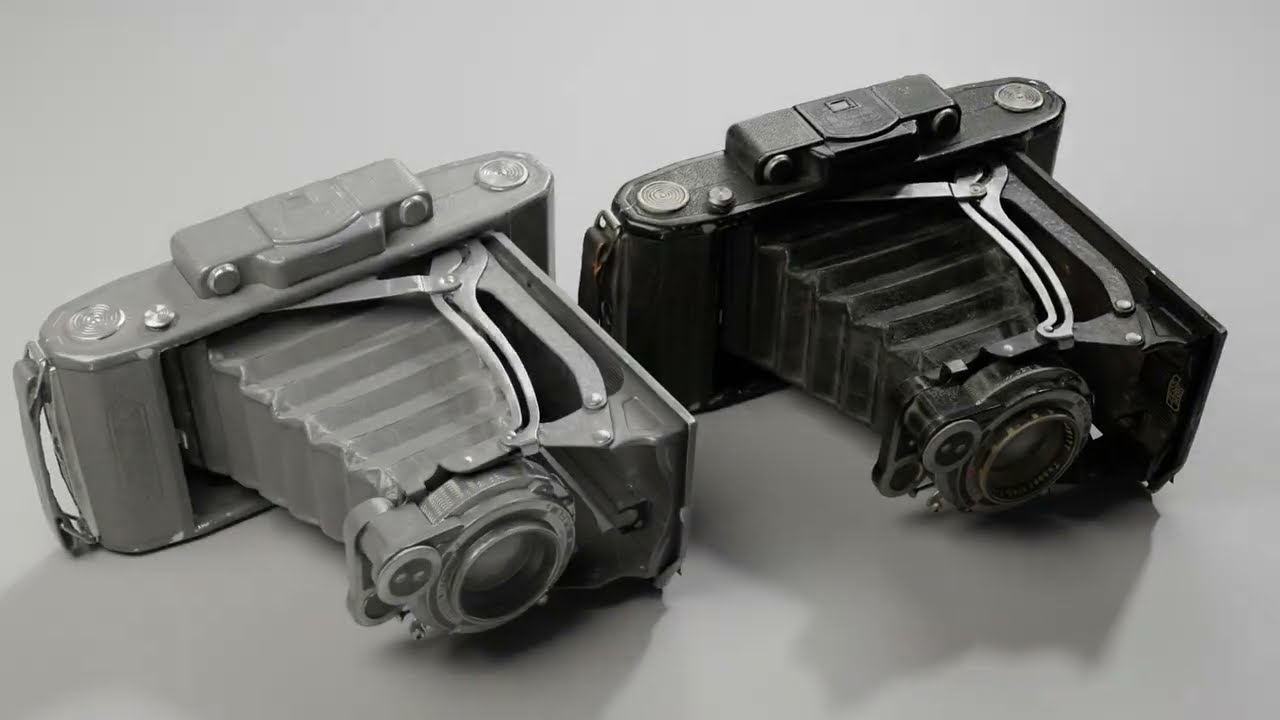
0:54
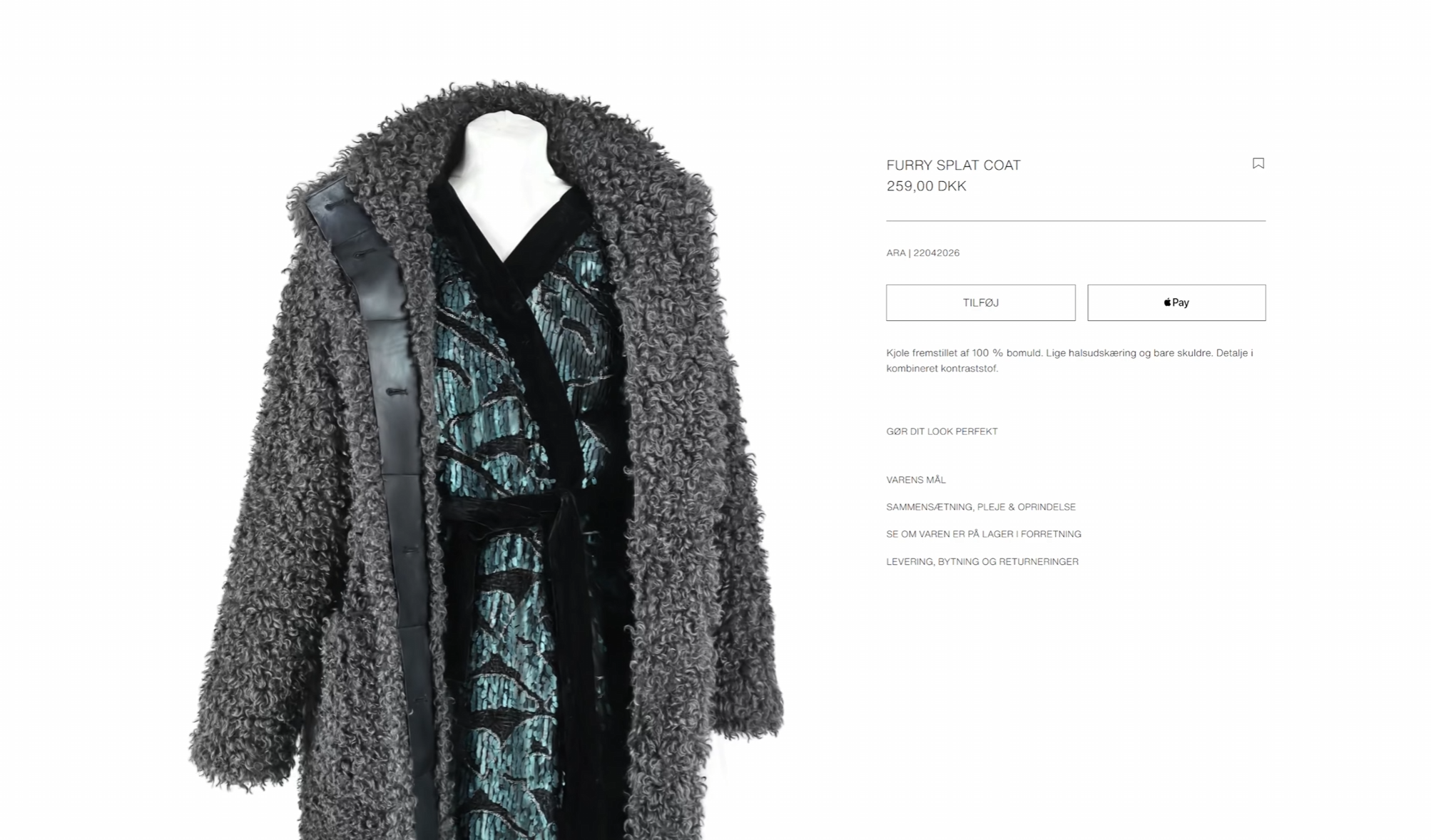
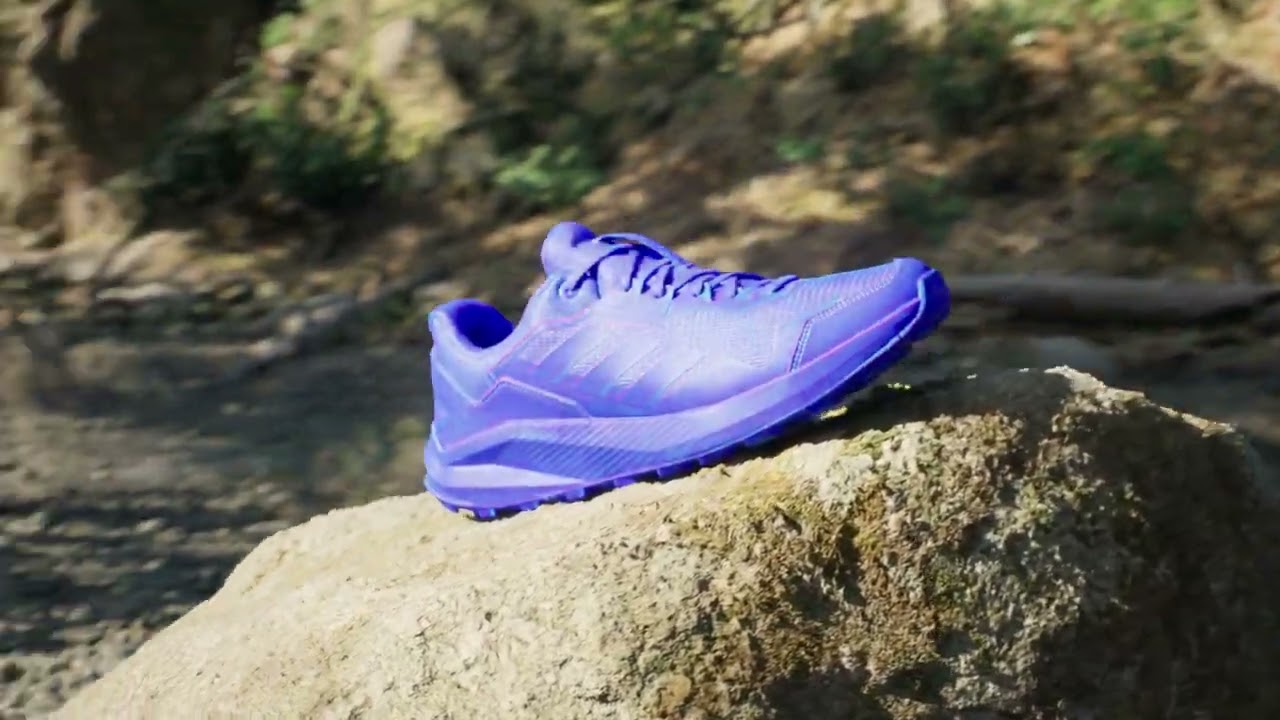
0:52

0:53
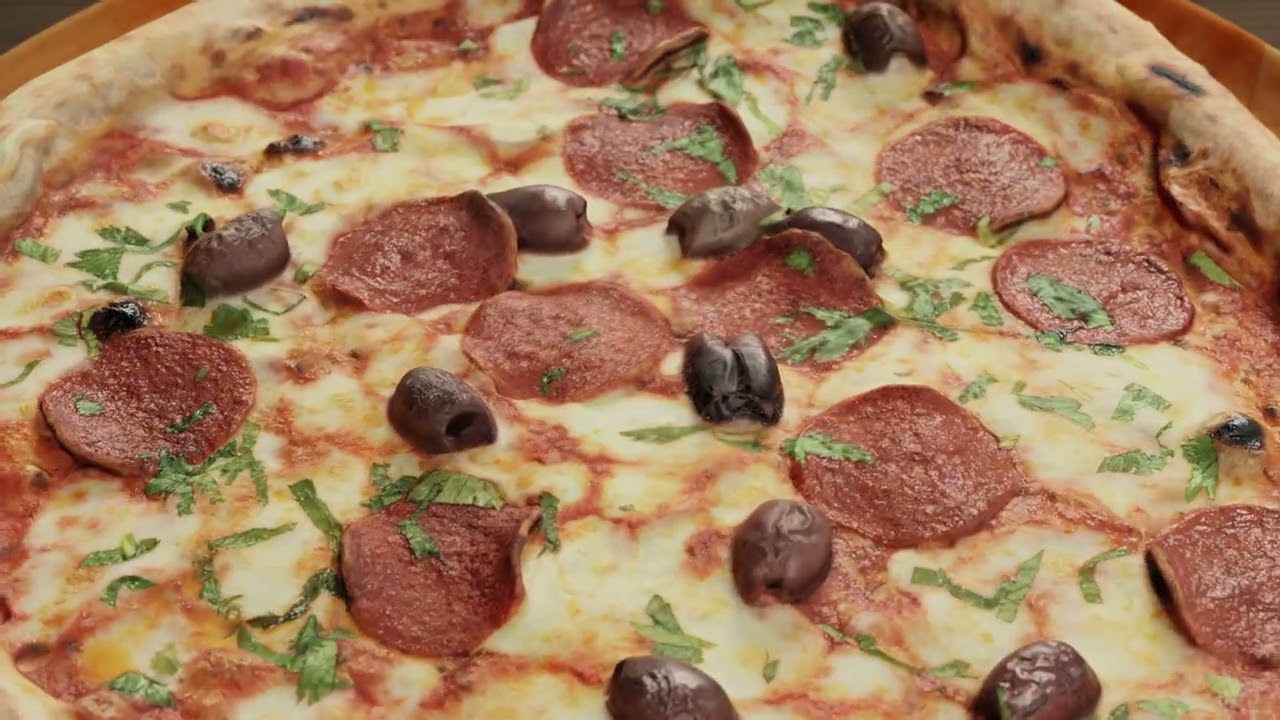
0:46
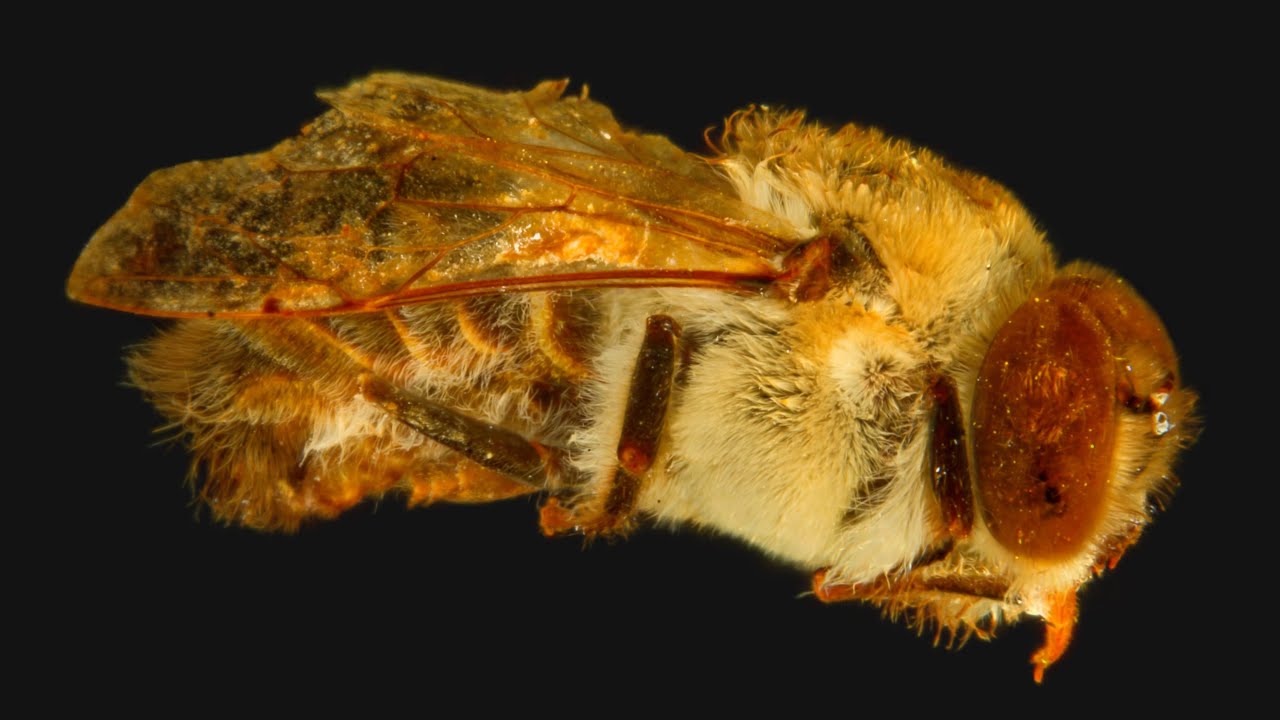
0:44
See Use-Cases
0:54
0:52
0:53
0:46
0:44
Effortless 3D Capture.
Any Object.
Let Arago do the Thinking
Arago adapts effortlessly to any object’s size and shape, executing capture sequences automatically and securely. Advanced pathfinding algorithms and real-time proximity tracking enable safe navigation around the object, while five high quality stepper motor–driven axes provide accurate and flexible camera positioning. The result is a fully automated capture: safe, fast, and accurate — from the smallest artifact to the largest model.
Built by Practitioners,
for Professionals
Developed and assembled in Copenhagen by our team with extensive hands-on experience in 3D scanning, Arago was originally built to optimize our own workflow. We soon recognized that these challenges were common across the industry and decided to make Arago available to everyone. Through countless prototypes and refinements, we created a system that delivers the balance of speed, precision, and adaptability professionals need in real-world production.
Precision Geometry.
Authentic Materials.
Photogrammetry Meets Photometry. Streamlined.
Arago seamlessly combines photogrammetry and photometry to deliver truly photorealistic results. Its intelligent capture software ensures optimal coverage for precise 3D reconstruction, while the integrated LightArray enables rapid, multi-directional lighting with varying polarization. Together, they provide complete datasets for accurate geometry and physically based textures, ensuring every object is captured with unmatched realism.
Intuitive. Portable. Durable.
Simple to Use
Arago’s intuitive design makes it easy to assemble, operate, and maintain. With a streamlined interface and thoughtful engineering, it ensures a smooth experience from setup to capture — even for first-time users.
Ready to Travel
Engineered for life on the move, Arago folds neatly into a flight case and assembles in minutes. Whether in the studio or on location, it’s ready to go wherever your projects need you.
Built to Last
Built with top-tier components, Arago is engineered for continuous around-the-clock operation with minimal upkeep. Its durable design ensures consistent performance and dependable reliability, even in the most demanding settings.
Smarter Workflow
with Arago Control
Arago Control puts powerful automation at your fingertips. With seamless tethered support for over 100 camera models, prescan, and automatic position generation, the application ensures every object is captured with precision. At its core lies a digital twin of Arago — a precise 3D visualisation of the rig, cameras, and the object being captured. Real-time overlap heatmap and time estimation give you full insight and confidence, making every session efficient.
Project Setup in 4 Simple Steps
Camera & Light
Adjust camera settings, monitor live view, and manage LightArray modes with ease.
Define Object
Automatically Prescan, pick from Object Library, or Import your own model.
Generate Positions
Generate optimal angles Automatically or refine with intuitive Adjustment tools.
Capture & Process
Execute capture and automatically Process using the RealityScan Bridge.
Configure Once. Capture Many.
With Arago Control, every project setup becomes a resource. Once you’ve configured your capture sequence, you can save it as a preset or a project template and reuse it across collections of similar items.
This means less time preparing — and more time scanning.
Presets for
Flexibility
Save your generated camera positions as reusable presets. Name and categorize them, re-use in new projects or combine multiple presets together.
Templates for
Speed
Reuse any project for effortless repeated scans. Simply duplicate, position your object in the same spot, and hit capture. No other steps required.
Camera. Light.

Camera Control
Arago Control offers full tethered control of your cameras: live view, exposure, focus, and multi-format capture. Calibration tools quickly match its field of view and position to Arago’s digital twin, ensuring every shot is accurately represented. All images carry positional metadata for consistent coverage and efficient processing.
LightArray
Tailored for the demands of photogrammetry and photometry, the LightArray combines four 250 W LEDs with an integrated electro-optical polarization filter for rapid modulation. This setup supports fast, multi-directional, cross-polarized capture with sequencing modes optimized for reliable PBR-ready dataset generation.

Flexible Object Setup
- Prescan
- Object Library
- Import Yours
Prescan
Arago’s integrated Intel RealSense depth camera streams real-time 3D data, showing exactly what it “sees”. The Prescan tool automatically creates a 3D proxy from a single rotation or multiple angles for higher detail.
Scan resolution and sensor exposure are fully adjustable, and built-in cleanup tools remove unwanted parts, close holes, and discard disconnected components. Arago Control then optimizes the scan, producing an accurate proxy ready for position generation.
Object Library
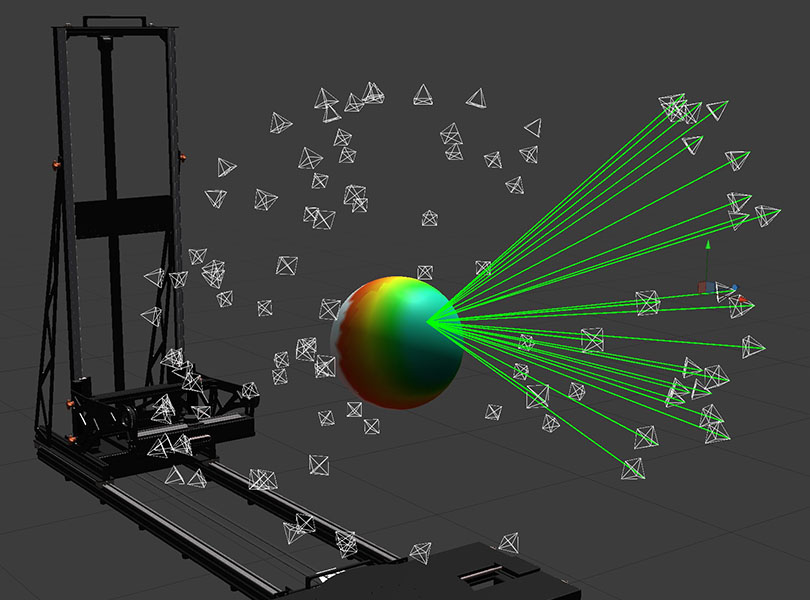
Arago Control includes a library of standard 3D objects that can be used to represent your objects in the scene. Choose the shape that best matches your subject — or combine several if needed.
Alignment is straightforward: use the live-view overlay to stack the real camera feed with the virtual camera view, adjusting scale and position until the primitive fits your object. Alternatively, input exact dimensions (X, Y, Z) in the Inspector for precise sizing. 3D Objects provide a fast, reliable way to define objects when a full pre-scan isn’t required.
Import your 3D Model
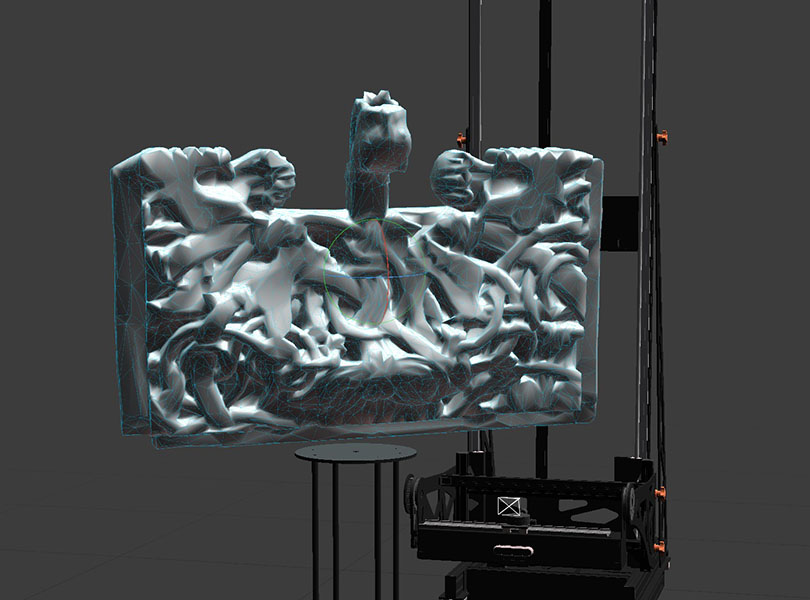
When higher fidelity is needed and prescanning alone isn’t enough, Arago Control lets you import your own 3D models directly into the scene. This gives you full control over the proxy model pipeline and allows for highly accurate object representation.
For batch workflows, previously reconstructed models can be reused as proxies — so when scanning multiple objects of the same type, you can import the first reconstruction to improve position generation for all that follow.
Precision Positioning
- Intelligent Auto
- Classic
- Tweaks
Automatic Positions Generator
Arago Control’s position generation is powered by a robust algorithm that uses your camera settings — aperture, sensor size, and field of view — to build accurate 3D frustums for each capture. By analyzing object size and geometry, it ensures complete coverage with the right amount of overlap, delivering evenly distributed, in-focus image data while respecting safety rules and travel limits.
You control how positions are generated: define focus distance and image count, target occluded areas, or scatter points uniformly. Alternatively, specify your desired image overlap and let the algorithm calculate the optimal number of positions for your object and setup.

Turntable Loops
The Loops tool automates position generation much like a turntable-and-tripod workflow — only faster and more flexible. Define the number of images per rotation or the degree interval between captures, and create single loops, multiple stacked loops, or adaptive top loops that reduce positions at steep angles where redundancy occurs.
Each loop appears as a component in the 3D view and can be modified through the Inspector. Adjust image count, tilt, elevation, or distance to the object, and use the “zig-zag” option to offset cameras for richer parallax. Loops can also be duplicated, reused, or combined to build efficient, tailored capture sequences.
Position Manipulation
For fine control, Arago Control provides intuitive 3D scene manipulation. Select individual or multiple positions and adjust them directly with the built-in gizmo tools. The “set target” function lets you snap cameras onto specific object details, while distance and target locks preserve geometry during edits.
Manual adjustments can be as light or detailed as needed: shift a few views, convert positions into loops, or add new points from the current camera angle. Together, these tools give you the flexibility to refine any setup for maximum coverage and precision.
Flexible Object Setup
- Prescan
- Object Library
- Import Yours
Prescan
Arago’s integrated Intel RealSense depth camera streams real-time 3D data, showing exactly what it “sees”. The Prescan tool automatically creates a 3D proxy from a single rotation or multiple angles for higher detail.
Scan resolution and sensor exposure are fully adjustable, and built-in cleanup tools remove unwanted parts, close holes, and discard disconnected components. Arago Control then optimizes the scan, producing an accurate proxy ready for position generation.
Object Library
Arago Control includes a library of standard 3D objects that can be used to represent your objects in the scene. Choose the shape that best matches your subject — or combine several if needed.
Alignment is straightforward: use the live-view overlay to stack the real camera feed with the virtual camera view, adjusting scale and position until the primitive fits your object. Alternatively, input exact dimensions (X, Y, Z) in the Inspector for precise sizing. 3D Objects provide a fast, reliable way to define objects when a full pre-scan isn’t required.
Import your 3D Model
When higher fidelity is needed and prescanning alone isn’t enough, Arago Control lets you import your own 3D models directly into the scene. This gives you full control over the proxy model pipeline and allows for highly accurate object representation.
For batch workflows, previously reconstructed models can be reused as proxies — so when scanning multiple objects of the same type, you can import the first reconstruction to improve position generation for all that follow.
Precision Positioning
- Intelligent Auto
- Classic
- Tweaks
Automatic Positions Generator
Arago Control’s position generation is powered by a robust algorithm that uses your camera settings — aperture, sensor size, and field of view — to build accurate 3D frustums for each capture. By analyzing object size and geometry, it ensures complete coverage with the right amount of overlap, delivering evenly distributed, in-focus image data while respecting safety rules and travel limits.
You control how positions are generated: define focus distance and image count, target occluded areas, or scatter points uniformly. Alternatively, specify your desired image overlap and let the algorithm calculate the optimal number of positions for your object and setup.
Turntable Loops
The Loops tool automates position generation much like a turntable-and-tripod workflow — only faster and more flexible. Define the number of images per rotation or the degree interval between captures, and create single loops, multiple stacked loops, or adaptive top loops that reduce positions at steep angles where redundancy occurs.
Each loop appears as a component in the 3D view and can be modified through the Inspector. Adjust image count, tilt, elevation, or distance to the object, and use the “zig-zag” option to offset cameras for richer parallax. Loops can also be duplicated, reused, or combined to build efficient, tailored capture sequences.
Position Manipulation
For fine control, Arago Control provides intuitive 3D scene manipulation. Select individual or multiple positions and adjust them directly with the built-in gizmo tools. The “set target” function lets you snap cameras onto specific object details, while distance and target locks preserve geometry during edits.
Manual adjustments can be as light or detailed as needed: shift a few views, convert positions into loops, or add new points from the current camera angle. Together, these tools give you the flexibility to refine any setup for maximum coverage and precision.
Under the Hood.
Technical Specifications.

Physical Dimensions
| Flight Case | 70*61*217 cm³ |
| Folded State | 61*42*206 cm³ |
| Operational State | 120*200*260 cm³ |
| Turntable | 54*20*120 cm³ |
| Turntable Plates | Large: 50 cm ⌀ Small: 20 cm ⌀ |
| Net Weight | Main Unit: 74 kg Turntable: 18 kg |
| Flight Case Weight | 50 kg |
Motion
| Capture Volume1 | Minimum: 5*5*5 cm³ Maximum: 150*150*150 cm³ |
| Travel Distances | X (horizontal): 130cm |
Electrical Requirements
| Voltage | 100–120 VAC / 200–240 VAC, 50/60 Hz |
| Max Power (Arago) | 200 W@220 V / 200 W@110 V |
| Max Power (Power Extender) | 2200 W@220 V / 1100 W@110 V |
Arago Control Minimum System Requirements
| Operating System | Windows® 10/11 (64 bit) |
| CPU | Quad-core Intel or AMD, 2.5 GHz or faster |
| Memory | ≥8GB |
| Graphics Card | ≥4GB VRAM |
| Storage | ≥1GB |
Camera Support
| Full Tethering | Nikon/Canon/Sony/Fujifilm – see full list |
| Untethered mode | Any digital camera capable of shutter release via 3.5mm jack |
| Multi-Camera Support | Up to 3 cameras with automatic shutter lag compensation (up to 1/200s) |
| Depth Camera | Integrated Intel® RealSense Depth Camera D415 |
Connectivity
| USB | 4-port industrial USB 3.0 hub |
| Ethernet | yes |
| Camera trigger | x3 3.5 mm jack |
| Camera sync | x3 3.5 mm jack |
| Flash sync | x1 3.5 mm jack |
Included Components
| Arago motion system |
|
| Accessories |
|
| Turntable Extensions |
|
| Cables |
|
| CANON | NIKON | SONY | FUJIFILM |
|---|---|---|---|
| Canon M6 Mark II | Nikon Z5 | Sony a6000 | Fujifilm GFX 50r |
| Canon M50 | Nikon Z5 II | Sony a6100 | Fujifilm GFX 50s |
| Canon M50 Mark II | Nikon Z6 | Sony a6300 | Fujifilm GFX 50s II |
| Canon M100 | Nikon Z6 II | Sony a6400 | Fujifilm GFX 100 |
| Canon M200 | Nikon Z6 III | Sony a6500 | Fujifilm GFX 100 II |
| Canon R | Nikon Z7 | Sony a6600 | Fujifilm GFX 100s |
| Canon Ra | Nikon Z7 II | Sony a6700 | Fujifilm X-H1 |
| Canon R1 | Nikon Z8 | Sony a1 | Fujifilm X-H2 |
| Canon R3 | Nikon Z9 | Sony a1 II | Fujifilm X-H2S |
| Canon R5 | Nikon Z30 | Sony a7 | Fujifilm X-S10 |
| Canon R5 C | Nikon Z50 | Sony a7 II | Fujifilm X-T1 |
| Canon R5 Mark II | Nikon Z50 II | Sony a7 III | Fujifilm X-T2 |
| Canon R6 | Nikon Zf | Sony a7 IV | Fujifilm X-T3 |
| Canon R6 Mark II | Nikon Zfc | Sony a7 V | Fujifilm X-T4 |
| Canon R6 Mark III | Nikon ZR | Sony a7C | Fujifilm X-T5 |
| Canon R7 | Nikon D3 | Sony a7C II | |
| Canon R8 | Nikon D3s | Sony a7CR | |
| Canon R10 | Nikon D3X | Sony a7R | |
| Canon R50 | Nikon D4 | Sony a7R II | |
| Canon R100 | Nikon D4s | Sony a7R III | |
| Canon RP | Nikon D5 | Sony a7R IV | |
| Canon 1D C | Nikon D6 | Sony a7R V | |
| Canon 1D Mark III | Nikon DF | Sony a7S | |
| Canon 1D Mark IV | Nikon D200 | Sony a7S II | |
| Canon 1D X | Nikon D800 | Sony a7S III | |
| Canon 1D X Mark II | Nikon D800E | Sony a9 | |
| Canon 1D X Mark III | Nikon D810 | Sony a9 II | |
| Canon 1Ds Mark III | Nikon D810A | Sony a9 III | |
| Canon 5D | Nikon D850 | Sony FX3 | |
| Canon 5D Mark II | Nikon D700 | Sony FX30 | |
| Canon 5D Mark III | Nikon D750 | Sony ILX-LR1 | |
| Canon 5D Mark IV | Nikon D780 | Sony UMC-R10C | |
| Canon 5Ds | Nikon D600 | Sony ZV-E1 | |
| Canon 5Ds R | Nikon D610 | Sony ZV-E10 | |
| Canon 6D | Nikon D300 | Sony ZV-E10 II | |
| Canon 6D Mark II | Nikon D300s | ||
| Canon 7D | Nikon D500 | ||
| Canon 7D Mark II | Nikon D7000 | ||
| Canon 40D | Nikon D7100 | ||
| Canon 50D | Nikon D7200 | ||
| Canon 60D | Nikon D7500 | ||
| Canon 60Da | Nikon D5000 | ||
| Canon 70D | Nikon D5100 | ||
| Canon 77D / 9000D | Nikon D5200 | ||
| Canon 80D | Nikon D5300 | ||
| Canon 90D | Nikon D5500 | ||
| Canon 100D / Rebel SL1 / Kiss X7 | Nikon D5600 | ||
| Canon 200D / Rebel SL2 / Kiss X8 | Nikon D3000 | ||
| Canon 250D / Rebel SL3 / Kiss X10 / 200D Mark II | Nikon D3100 | ||
| Canon 350D | Nikon D3200 | ||
| Canon 400D | Nikon D3300 | ||
| Canon 450D / Rebel XSi / Kiss X2 | Nikon D3400 | ||
| Canon 500D / Rebel T1i / Kiss X3 | Nikon D3500 | ||
| Canon 550D / Rebel T2i / Kiss X4 | Nikon D40 | ||
| Canon 600D / Rebel T3i / Kiss X5 | Nikon D60 | ||
| Canon 650D / Rebel T4i / Kiss X6i | Nikon D80 | ||
| Canon 700D / Rebel T5i / Kiss X7i | Nikon D90 | ||
| Canon 750D / Rebel T6i / Kiss X8i | Nikon S2800 | ||
| Canon 760D / Rebel T6s / 8000D | Nikon S3600 | ||
| Canon 800D / Rebel T7i / Kiss X9i | Nikon S6700 | ||
| Canon 850D / Rebel T8i / Kiss X10i | Nikon S9100 | ||
| Canon 1000D / Rebel XS / Kiss F | |||
| Canon 1100D / Rebel T3 / Kiss X50 | |||
| Canon 1200D / Rebel T5 / Kiss X70 | |||
| Canon 1300D / Rebel T6 / Kiss X80 | |||
| Canon 2000D / Rebel T7 / Kiss X90 / 1500D | |||
| Canon 4000D / Rebel T100 / 3000D |
FAQ
Frequently
asked
questions
How much does it cost?
Please reach out for a tailored quotation. Pricing varies depending on configuration and software tier.
How many objects can I digitize per day?
With an average capture cycle of ≈ 15 minutes, you can expect 25–30 objects per day under consistent operation. When scanning similar-sized objects or using automated presets, throughput increases further. Over a year of regular use, this equates to ≈ 6 000–7 000 digitized items.
What kinds of objects can it handle?
Arago is designed for small- to medium-scale objects — anything from jewelry or footwear to sculptures up to 150 × 150 × 150 cm. Larger subjects can be captured through modular extensions or multi-scan merging.
What 3D models does it export?
Arago focuses on precise data acquisition. Its integrated RealityScan Bridge exports clean, calibrated photo sets directly to RealityScan (or any preferred photogrammetry software) for automatic 3D reconstruction. Supported outputs include OBJ, FBX, GLB, and PLY with customizable polygon density and texture types.
Does Arago ship to my location?
Yes. Arago systems are available worldwide. Each unit is securely packed in a custom flight case and shipped via insured freight under standard DAP (Delivered at Place) terms.
Is Arago certified for international use?
Yes. Arago complies with both CE and FCC standards, ensuring electrical and electromagnetic safety across global markets. The system is approved for operation under both 110 V and 230 V conditions.
What cameras are compatible?
Do you include cameras and lenses?
Arago ships as a camera-agnostic platform. You may integrate existing equipment or request a pre-configured kit from Rigsters with a validated camera/lens pairing and tethering tested.
Is it easy to operate?
Setup takes under 2 minutes from flight case to capture. Arago Control automates camera motion, turntable rotation, and lighting. A guided workflow allows a single operator to run full sessions without prior robotics knowledge.
Can I scan delicate museum pieces or artworks?
Yes. The system uses controlled, low-intensity LED lighting with optional cross-polarization and non-contact rotation. Commonly deployed for cultural-heritage artifacts and conservation studies.
How long is the lead time?
Lead times average 6–8 weeks from order confirmation, depending on configuration and current production queue.
Is software included?
Arago Control software (Standard or Advanced edition) is included with the rig. Advanced tier adds automation, and RealityScan Bridge features.
What kind of support do you offer?
Each system includes onboarding, remote installation assistance, and software updates. Optional extended support options are available.
Can I integrate Arago data into my own pipeline?
Yes. Arago Control can export images and metadata in formats for downstream use in RealityCapture, Metashape, or custom pipelines (e.g., Gaussian Splatting).
Is there a demo or trial option?
Rigsters offers on-site demonstrations and virtual sessions. Institutions may also rent a unit for pilot projects or proof-of-concept digitization. (On request)